AI for ServiceTitan: what it can do and what Alvin adds

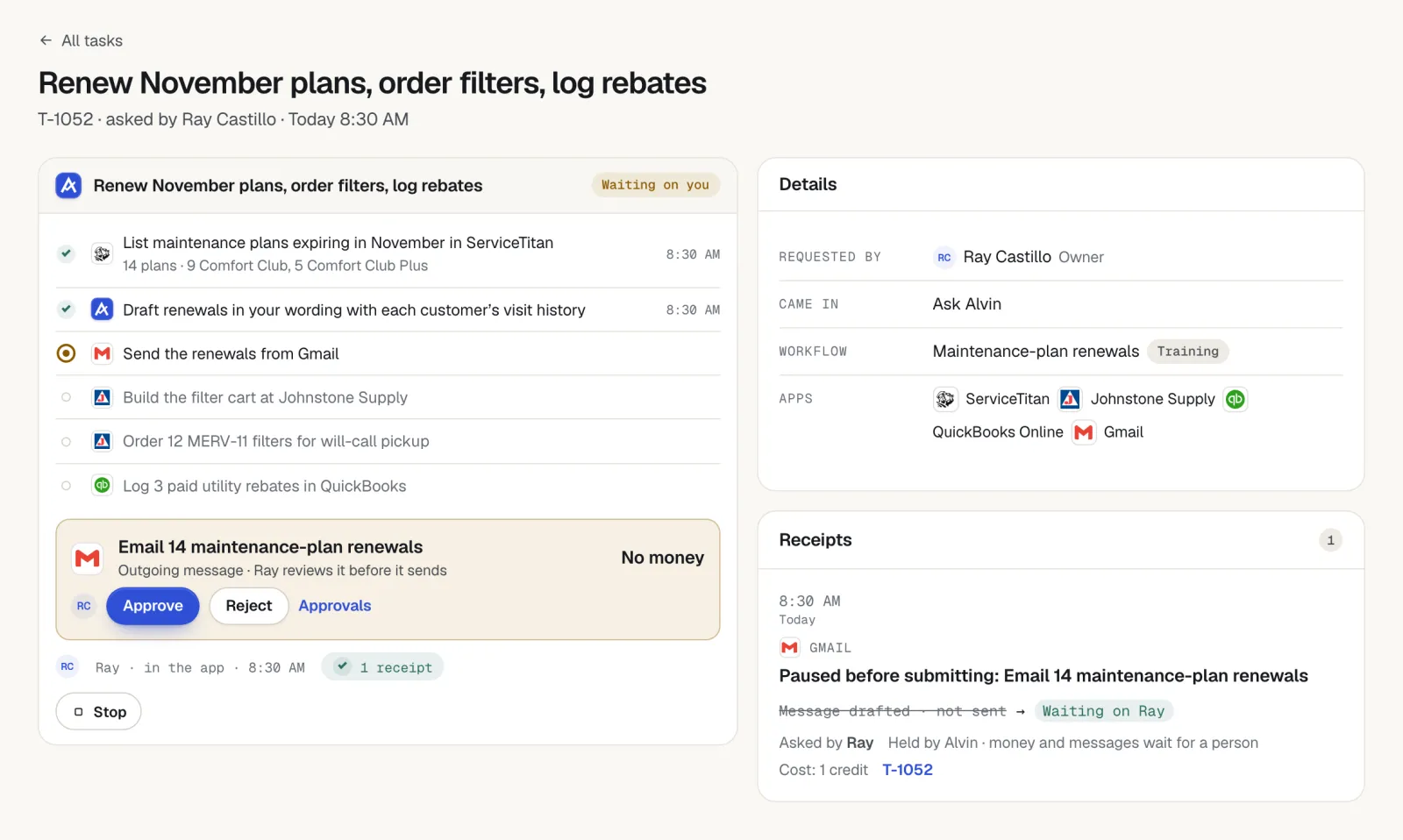
AI for ServiceTitan comes in two kinds: the features ServiceTitan builds into its own app, and assistants that work in ServiceTitan as one of several apps. The first is best for work that stays inside ServiceTitan. The second is for the request that crosses out of it, into your inbox, your books, a supplier's portal or a warranty site. Alvin is the second kind: one assistant the whole team shares, with a person approving anything that spends money or reaches a customer.
On this page
The AI already in ServiceTitan
ServiceTitan has Atlas, its own AI. When we checked, Atlas answered field questions, with office features such as A/R review marked coming soon. Keep it on. Alvin is for the request that leaves ServiceTitan: the distributor's portal, the manufacturer's warranty site, the utility's rebate form, QuickBooks and your inbox.
Products change quickly. Check ServiceTitan's own site for what is in your plan this month.
What Alvin does with ServiceTitan
| Alvin reads | Jobs, customers and their contacts, appointments, estimates and invoices |
|---|---|
| Alvin does | Uses what it reads to write estimate follow-ups, appointment reminders, invoice reminders, review asks and the morning brief |
| Waits for a person | Anything sent to a customer, from your own mailbox or texting app |
| Keeps a record | A receipt for every action: who asked, who approved, what changed |
Skills that run on ServiceTitan
Skills are pieces of office work Alvin does on a schedule, set up in about two minutes, with settings that already work. These use ServiceTitan:
- Morning brief: today's jobs and open estimates in one message before the day starts.
- Remind customers the day before: a text to each customer the day before their visit, with the arrival window.
- Follow up on open estimates: a follow-up on every open estimate that has gone quiet.
- Chase unpaid invoices: polite reminders on overdue invoices, from your own mailbox.
- Ask for a review after each job: a review request to each customer whose job is finished, from your own email or texting app.
- Post on Google: a Google Business Profile post about each finished job, held for your OK.
Requests to try
Anyone on your team can ask in the Alvin app or forward an email. A few that run on ServiceTitan:
- “Follow up on every replacement estimate older than 5 days with no reply.”
- “List every invoice more than 30 days past due and draft a reminder to each customer.”
- “Text tomorrow's customers their arrival window.”
- “Register the warranty for every system we installed in the last 30 days that isn't registered yet.”
How connecting ServiceTitan works
ServiceTitan connects with app credentials rather than a sign-in button: your ServiceTitan admin creates them (client ID and secret, app key and tenant ID) and pastes them into Alvin once. They are stored in Alvin's vault and never shown to your team, in a chat or on a receipt.
What stays with you
- Approvals. Money going out and messages going to customers get a person's yes.
- Prices and judgment calls. Alvin does the arithmetic and the paperwork; you set the price and make the call.
- The phone. Alvin has no phone line today. It works beside whoever, or whatever, answers yours.
Frequently asked questions
Does ServiceTitan have AI?
Yes. ServiceTitan's AI is called Atlas. When we checked, it answered field questions inside ServiceTitan, with more office features marked coming soon. Alvin works alongside it, on the work that crosses into other apps and portals.
How do I connect ServiceTitan to Alvin?
ServiceTitan uses app credentials instead of a sign-in: your admin creates them in ServiceTitan and pastes them into Alvin once. They are kept in Alvin's vault.
Is it safe to give an AI access to ServiceTitan?
Ask any vendor where the access is stored, who can see it, what it can change without a person and where the record of its actions is. With Alvin, the ServiceTitan access sits in a vault your team never sees, each person's role limits what Alvin may do for them, money and customer messages wait for approval, and every action leaves a receipt nobody can edit.
How much does Alvin cost with ServiceTitan?
ServiceTitan is included on every plan. Alvin is $99 a month on Standard (up to 3 team members) or $299 a month on Pro, plus usage in credits.
Sources
See Alvin work with ServiceTitan.
Hand Alvin real requests in the demo, or join the waitlist and we'll connect ServiceTitan with you.