AI for AccuLynx: what it can do and what Alvin adds

AI for AccuLynx comes in two kinds: the features AccuLynx builds into its own app, and assistants that work in AccuLynx as one of several apps. The first is best for work that stays inside AccuLynx. The second is for the request that crosses out of it, into your inbox, your books, a supplier's portal or a warranty site. Alvin is the second kind: one assistant the whole team shares, with a person approving anything that spends money or reaches a customer.
On this page
The AI already in AccuLynx
AccuLynx is the system of record for many roofing offices: jobs, milestones, estimates and material orders live there. Check AccuLynx's own site for the AI features in your plan. Alvin reads AccuLynx as one of your apps and carries the work out of it: into QuickBooks, your inbox, the supplier's portal and the manufacturer's warranty site.
Products change quickly. Check AccuLynx's own site for what is in your plan this month.
What Alvin does with AccuLynx
| Alvin reads | Jobs and milestones, contacts, estimates and material orders |
|---|---|
| Alvin does | Creates a lead or adds a note to a job after the right person approves; uses what it reads for estimate follow-up, review asks, posts and the morning brief |
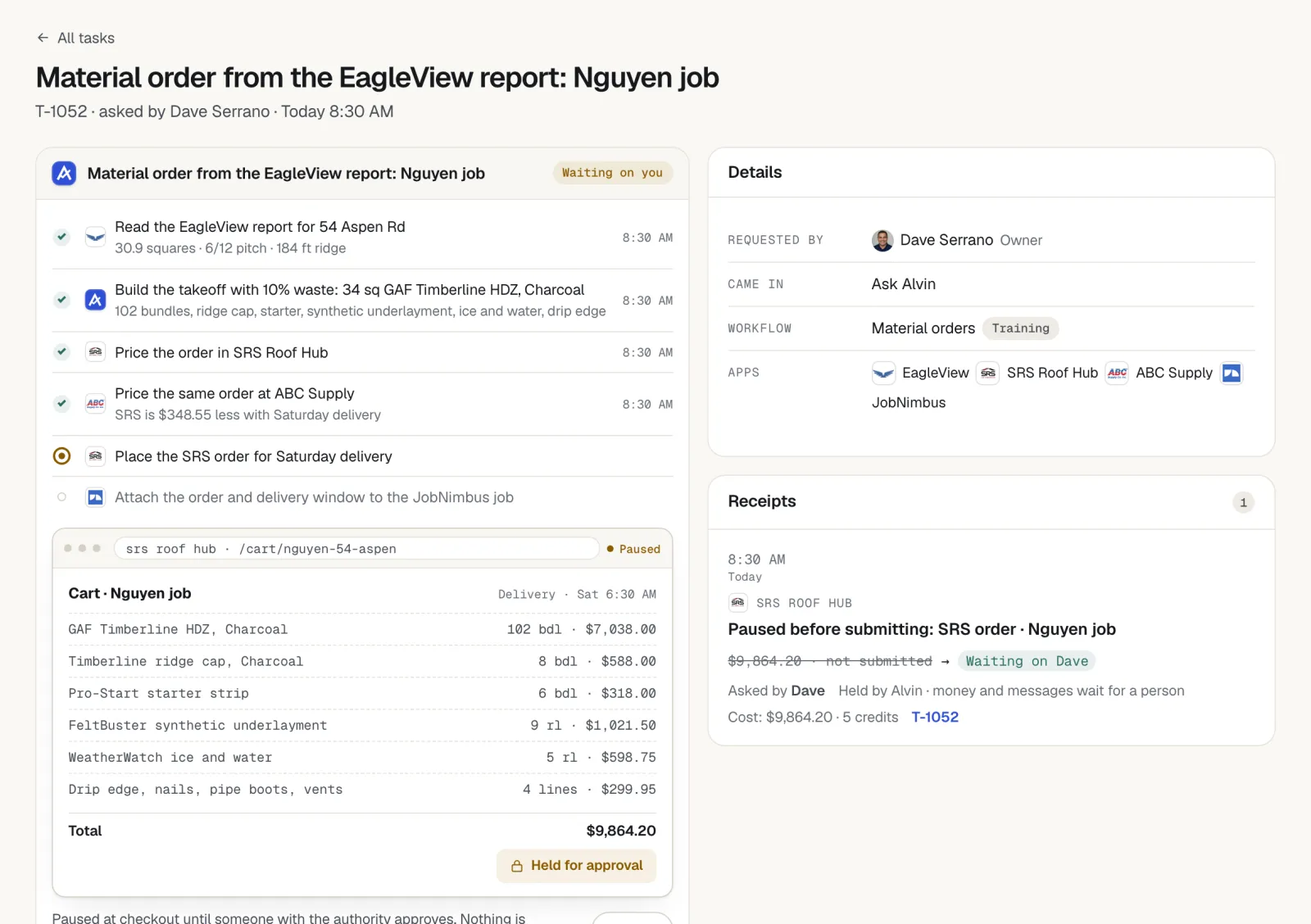
| Waits for a person | Anything sent to a homeowner or an adjuster, and any order that spends money |
| Keeps a record | A receipt for every action: who asked, who approved, what changed |
Skills that run on AccuLynx
Skills are pieces of office work Alvin does on a schedule, set up in about two minutes, with settings that already work. These use AccuLynx:
- Morning brief: today's jobs and open estimates in one message before the day starts.
- Follow up on open estimates: a follow-up on every open estimate that has gone quiet.
- Ask for a review after each job: a review request to each customer whose job is finished, from your own email or texting app.
- Post on Google: a Google Business Profile post about each finished job, held for your OK.
Requests to try
Anyone on your team can ask in the Alvin app or forward an email. A few that run on AccuLynx:
- “Which AccuLynx jobs have been at the same milestone for more than two weeks?”
- “Follow up on every estimate sent more than 5 days ago with no answer.”
- “Build the material order for [customer] from the measurement report and hold it for my approval.”
- “Add a lead in AccuLynx for the homeowner in this forwarded email and note how they found us.”
How connecting AccuLynx works
You sign in to AccuLynx from Alvin's Apps and logins page and approve the connection. Alvin keeps the access in its vault; your team never sees it, and it never appears in a chat or a receipt.
What stays with you
- Approvals. Money going out and messages going to customers get a person's yes.
- Prices and judgment calls. Alvin does the arithmetic and the paperwork; you set the price and make the call.
- The phone. Alvin has no phone line today. It works beside whoever, or whatever, answers yours.
Frequently asked questions
Does AccuLynx have AI?
Check AccuLynx's own site for the AI features in your plan. Alvin does not replace them: it reads AccuLynx as one of your apps and does the work that crosses into QuickBooks, email and supplier portals.
How do I connect AccuLynx to Alvin?
Sign in to AccuLynx from Alvin's Apps and logins page and approve the connection. The access is kept in Alvin's vault.
Is it safe to give an AI access to AccuLynx?
Ask any vendor where the access is stored, who can see it, what it can change without a person and where the record of its actions is. With Alvin, the AccuLynx access sits in a vault your team never sees, each person's role limits what Alvin may do for them, money and customer messages wait for approval, and every action leaves a receipt nobody can edit.
How much does Alvin cost with AccuLynx?
AccuLynx is included on every plan. Alvin is $99 a month on Standard (up to 3 team members) or $299 a month on Pro, plus usage in credits.
See Alvin work with AccuLynx.
Hand Alvin real requests in the demo, or join the waitlist and we'll connect AccuLynx with you.