Why a reminder the day before pays for itself
A truck that drives across town to a locked gate costs you the trip, the tech’s hour and a slot someone else could have had. Most no-shows aren’t customers backing out. They forgot, or the time they remember isn’t the time on your schedule. A text the afternoon before, when tomorrow is settled but there’s still time to rearrange, fixes most of that. The catch is that someone in the office has to send it every single day, for every visit, with the right time.
What Alvin does
- Reads tomorrow’s visits. From Jobber, Housecall Pro or ServiceTitan, with the arrival time or window exactly as your schedule has it. No time on the schedule means the reminder names the day only.
- Writes one reminder per customer. From a person at your company, with the day, the arrival time and what the visit is for. One clear next step: reply to change it. No links, prices or offers.
- Waits for your OK. You see every message in one approval and send them all, edit one or skip one.
- Checks the schedule again before sending. A visit cancelled or moved since the draft gets nothing. A visit moved to another day gets a new reminder for the new day.
- Respects opt-outs and quiet hours. Anyone who opted out of texts gets an email instead, or nothing. Customers with no phone or email on file are listed for you.
Example
Example reminder for a sample plumbing company. The names are made up.
Hi Erin, it’s Maria from Sample Plumbing Co. A reminder that we’re scheduled to see you tomorrow, Tuesday October 27, between 9 AM and 11 AM for your water heater install. Reply here if you need to change it.
For a customer with no mobile number, the same reminder goes out as an email from your mailbox, with the subject “Reminder: your appointment tomorrow, Tuesday October 27”.
Rules it never breaks
These are built in. No setting turns them off.
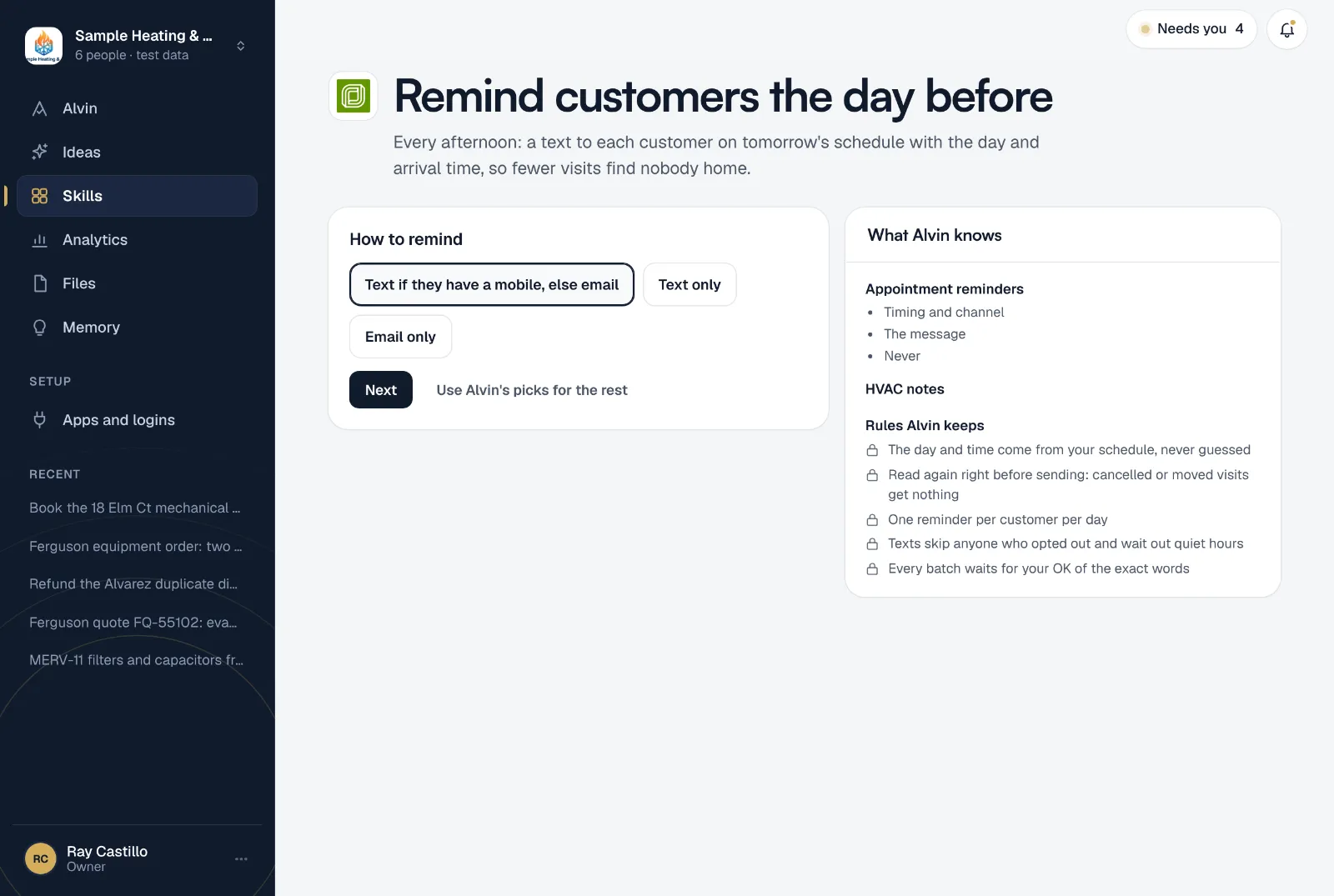
- The day and time come from your schedule, never guessed
- Read again right before sending: cancelled or moved visits get nothing
- One reminder per customer per day
- Texts skip anyone who opted out and wait out quiet hours
- Every batch waits for your OK of the exact words
Your settings
Each setting starts on a default that works:
- How to remind: text if they have a mobile, else email; text only; or email only.
- Signed by: the person whose first name goes on every message, like the office manager.
- Never contact: customers Alvin leaves alone, one per line, like a property manager who handles access themselves.
- How messages are written: standard words, the same every time, or in your voice. In your voice, Alvin rewrites each one and keeps the exact day and time.
It runs every day at 4:00 PM, and a company sets it up once. Want to see the messages first? Alvin drafts tomorrow’s reminders while you’re still setting it up.
Frequently asked questions
When should I send appointment reminder texts?
The afternoon before the visit works best: tomorrow’s schedule is settled, and the customer still has time to rearrange. Alvin’s reminders are drafted at 4:00 PM, inside that window.
What should an appointment reminder text say?
Who it’s from, the day and arrival window, what the visit is for, and how to change it. Keep it under a few lines, and leave out offers and links: a reminder is a service message, and adding marketing changes that.
Do the texts send without me?
No. Every batch waits for your OK of the exact words before anything goes out.
What if a visit gets cancelled after the draft?
Alvin reads the schedule again right before sending. A cancelled or moved visit gets nothing, so nobody is reminded of an appointment that’s gone.
Is it legal to text my customers reminders?
Reminders to your own customers about a booked visit are common, and Alvin skips anyone who opted out and waits out quiet hours. Rules vary, so read our plain-English overview of texting rules for contractors. It’s general information, not legal advice.
Remind tomorrow’s customers today.
Connect your schedule and your texting app, and read tomorrow’s reminders before you finish setting up.