Why replying to every review matters
People choosing a contractor read the replies as closely as the reviews. A business that answers every review looks like one that answers the phone. Google also says that replying to reviews shows customers you value them. The trouble is time: a busy owner gets to it on Sunday night, or not at all, and three words like “Thanks, John!” don’t say much.
What Alvin does
- Checks for new reviews every day. On Google, and on Facebook and Yelp when you turn them on.
- Drafts a reply to each happy one. In the voice you picked, naming what the customer actually said: the crew, the cleanup, the speed. Never a copy-paste line.
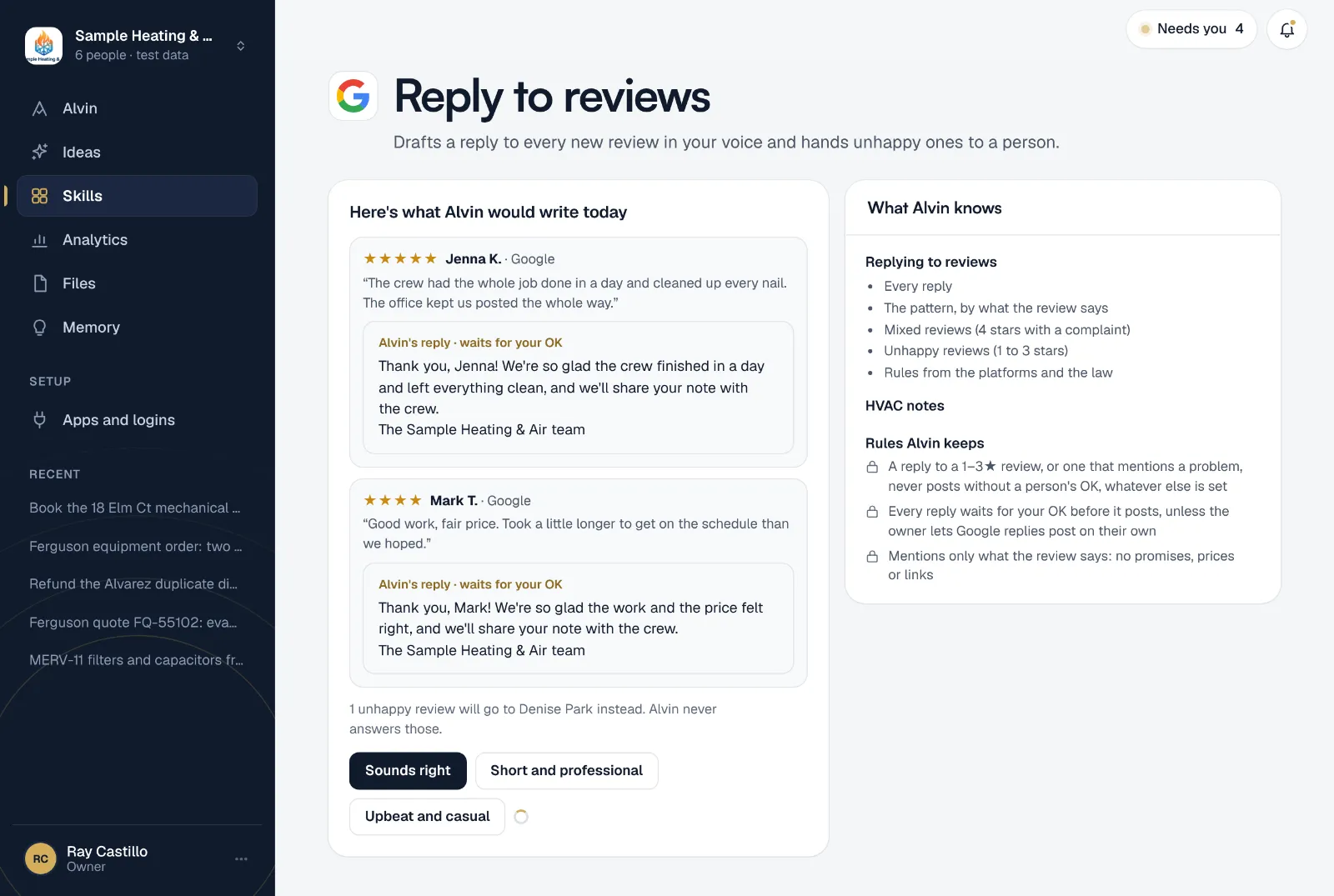
- Waits for your OK. You see each draft with its review and approve, edit or skip it. The owner can let Google replies post on their own once the drafts read right.
- Hands unhappy reviews to a person. One to three stars go to the person you name (the owner or the office manager) with a calm draft to use, so the answer comes from someone who can fix the problem.
Example
Example review and reply, for a sample roofing company.
★★★★★ “The crew had the whole job done in a day and cleaned up every nail. The office kept us posted the whole way.” · Jenna K.
Alvin’s draft: Thank you, Jenna! We’re so glad the crew finished in a day and left everything clean, and we’ll share your note with the crew. The Sample Roofing Co. team
Rules it never breaks
These are built in. No setting turns them off.
- A reply to a 1–3★ review, or one that mentions a problem, never posts without a person's OK, whatever else is set
- Every reply waits for your OK before it posts, unless the owner lets Google replies post on their own
- Mentions only what the review says: no promises, prices or links
Your settings
Every setting starts on a default that works, so setup is a few taps:
- Where to check: Google, Facebook, Yelp.
- Which reviews get a reply: 4★ and up, or 5★ only.
- How replies sound: warm and friendly, short and professional, or upbeat and casual.
- Sign-off and your own rules, like “say ‘we’, never ‘I’” or “thank the crew by name”.
Want to see the replies before you decide? Alvin drafts replies to your newest reviews while you’re still setting it up.
Frequently asked questions
Can Alvin post Google review replies without me?
Only if the owner turns that on, and only for the happy reviews you chose. By default every reply waits for your OK. Replies to 1 to 3 star reviews are never posted by Alvin.
Does it work for Facebook and Yelp reviews too?
Yes. Turn on Facebook or Yelp in the settings. Alvin drafts those replies the same way and they wait for your OK.
Will every reply sound the same?
No. Each draft answers what that customer wrote, in the voice you picked, with your sign-off. You can add rules of your own, and edit any draft before it posts.
What happens with a bad review?
It goes to the person you named, with a calm draft that thanks the customer and offers a way to reach the office. A person decides what to say and posts it.
Can Alvin ask customers for reviews too?
Yes. The review request skill sends a personal ask after each finished job, to every customer the same way.
Answer every review this week.
Connect your Google listing, pick a voice, and read the first drafts before you finish setting up.