Why your books beat a guess
Mailers often go to the neighborhoods the owner thinks are good, or to whatever list the print shop suggests. But the answer is already in your books. Some zip codes send you a few big, profitable jobs; others send lots of small ones that barely pay for the drive. Working that out by hand means exporting invoices, sorting addresses and adding up columns in a spreadsheet, which is why it rarely gets done. The same question matters for door hangers, yard signs and local ads: spend where the jobs that pay you well already are.
What Alvin does
- Reads your QuickBooks. Invoices, bills and job costs for the period you pick, from QuickBooks’ own reports.
- Places each customer in a zip code. The job site’s address when there is one, else the billing address. Customers with no zip code are counted on their own line, not dropped.
- Ranks the zip codes. By profit when costs are recorded against customers in QuickBooks, otherwise by income, and the report says which it used.
- Shows the shape of each zip. Customers per zip and income per customer, because a zip with a few large jobs and a zip with many small ones call for different marketing.
- Sends the report. To the teammates you pick, in the app and on their phone. Nothing in your books changes.
Example
Example report for a sample HVAC company, ranked by profit. Zip codes and dollar amounts are examples.
Scroll sideways to see every column.
| Zip code | Customers | Income | Profit | Income per customer |
|---|---|---|---|---|
| 78681 | 42 | $186,400 | $61,200 | $4,438 |
| 78664 | 67 | $171,900 | $48,700 | $2,566 |
| 78665 | 18 | $94,300 | $33,100 | $5,239 |
| No zip code | 5 | $7,800 | $1,900 | $1,560 |
Here 78665 has fewer customers but the biggest jobs, a good fit for a targeted mailer about system replacements. 78664 has many smaller jobs, which may suit a maintenance plan offer instead.
Rules it never breaks
These are built in. No setting turns them off.
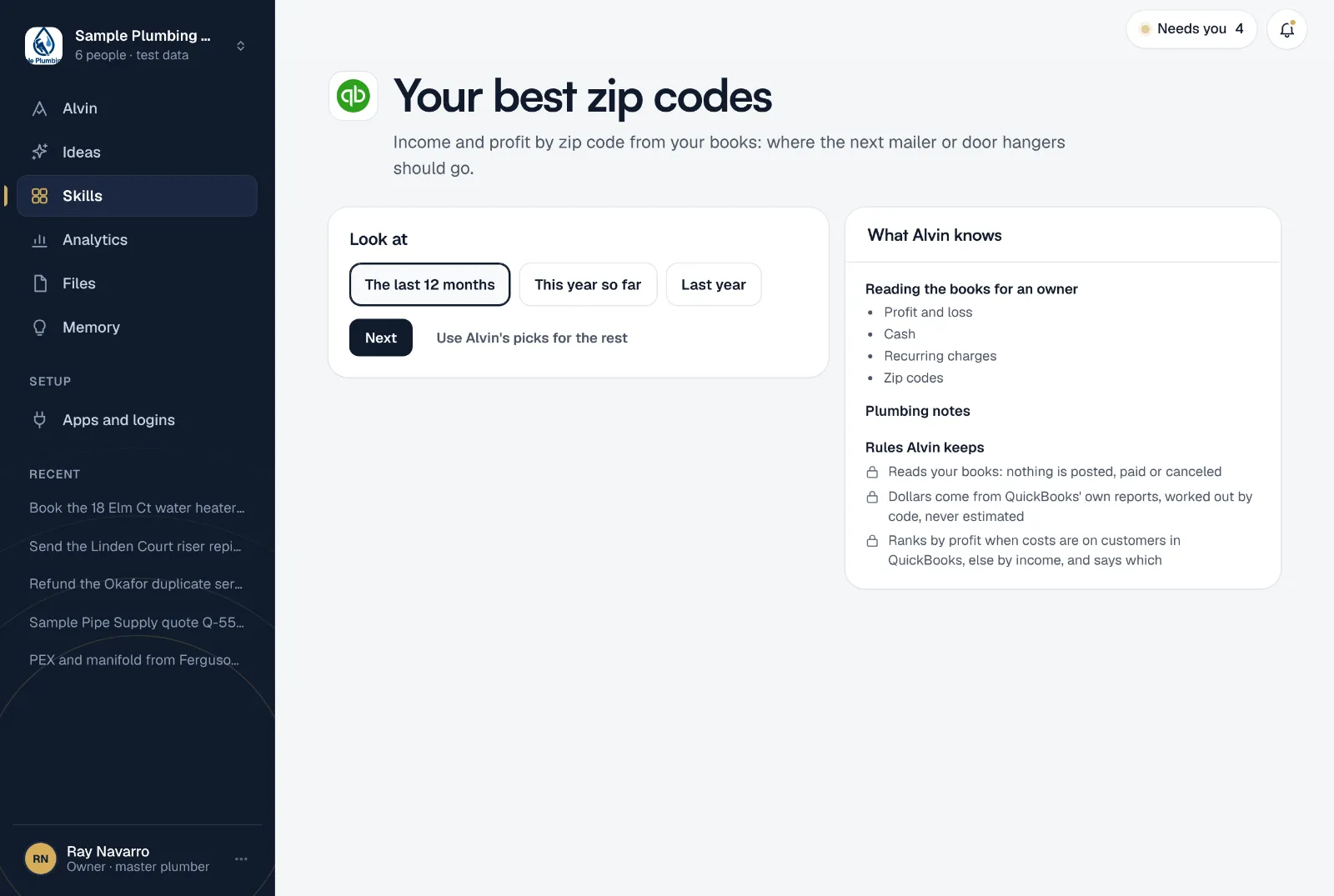
- Reads your books: nothing is posted, paid or canceled
- Dollars come from QuickBooks' own reports, worked out by code, never estimated
- Ranks by profit when costs are on customers in QuickBooks, else by income, and says which
Your settings
- Look at: the last 12 months, this year so far, or last year.
- How many zip codes: from 3 to 25. Ten by default.
- Who gets it: the teammates who should see it, in the app and on their phone.
It runs when you ask, not on a schedule: before a mailer, a door hanger push or a new ad campaign. The owner or office manager sets it up, and the first ranking comes back while you do.
Frequently asked questions
How do I choose which zip codes to send mailers to?
Start with the zips where your past jobs earned the most, then look at how many customers each has. Many customers points to a broad mailer; a few large jobs points to a narrower one aimed at that kind of work.
Does it rank by profit or by revenue?
By profit when your job costs are recorded against customers in QuickBooks. If they aren’t, it ranks by income and tells you so, so you never mistake one for the other.
Does Alvin change anything in QuickBooks?
No. It only reads your books. Nothing is posted, paid or canceled.
Are the dollar amounts estimates?
No. They come from QuickBooks’ own reports and are added up by code, not estimated.
Does it work with other accounting software?
Today it reads QuickBooks.
Send your next mailer where it pays.
Connect QuickBooks and see your zip codes ranked before you finish setting up.