Best roofing CRM: how to choose one with a buyer's checklist
The best roofing CRM for your company is the one your salespeople, office and crew leads will actually keep up to date, and that covers seven jobs: a lead-to-job pipeline, insurance job fields, measurement report and supplier ordering links, photos, e-signature, QuickBooks sync and production scheduling. JobNimbus and AccuLynx are two well-known examples of the category. Score each product against the checklist below using one of your own jobs. Alvin is not a CRM. Alvin works inside the one you pick and does the follow-up and paperwork around it.
On this page
What a roofing CRM must do
Use this as the scoring sheet. For each row, ask the vendor to show it, not describe it.
Scroll sideways to see every column.
| Requirement | What good looks like | Ask in the demo |
|---|---|---|
| Lead-to-job pipeline | One record moves from lead to estimate to sold to production to paid, with stages you can rename | "Show me a lead from a web form becoming a scheduled job without retyping." |
| Insurance job fields | Claim number, insurer, adjuster, RCV, ACV, deductible, depreciation, supplement status | "Where do I see every job waiting on a depreciation check?" |
| Measurement and supplier links | Order a measurement report from the job; build a material order from the estimate | "Which measurement providers and suppliers connect, and in which regions?" |
| Photos | Crew and sales upload from a phone, photos land on the job, sorted and dated | "Show me the mobile app with one bar of signal." |
| E-signature | Contracts, change orders and completion certificates signed on a phone | "Can a homeowner sign a change order from a text link?" |
| QuickBooks sync | Customers, invoices and payments flow to QuickBooks without duplicates | "What exactly syncs, in which direction, and what happens when a sync fails?" |
| Production scheduling | A calendar or board of crews, deliveries and dumpsters by job | "Show me moving a job two days for rain. Who gets notified?" |
A product that does five of these well and two poorly may still be right for you, if the two weak ones are things you do little of. A retail-only shop can ignore claim fields. A storm shop cannot.
Start from your own job, not the feature list
Every vendor demo runs a perfect job through a perfect pipeline. Bring your own. Pick one finished job that went sideways, for example the Garcia roof: an insurance job with a supplement, a decking change order, a rain delay and a late final payment. Write down each step it took, who did it and what document it produced. Then ask each vendor to run that job in their product while you watch.
You will learn more from the awkward steps than from the smooth ones. Where does the supplement live? How does the change order reach the invoice? Can the crew lead find the gate code?
How to run the evaluation
- List who will use it and what each person needs: owner, sales, office, production manager, crew leads, bookkeeper.
- Mark each checklist row as must-have, nice-to-have or not needed for your mix of work.
- Shortlist two or three products. Ask roofers in your market and your supplier rep what they see in use.
- Run your sample job through each demo and score the rows.
- Ask for a trial or sandbox and have the least technical person on your team enter a lead and upload photos from a phone.
- Get pricing in writing for your real user count, including setup, add-ons and messaging fees. Prices and plans change, so use the vendor's current quote, not a blog post.
- Call two reference customers of similar size and ask what they stopped using after six months.
- Plan the switch: what data moves, who cleans it, and which week of the year is slow enough to do it.
More questions to ask in a roofing CRM demo
- Can I export all my data, including photos and documents, if I leave? In what format?
- What permissions can I set by role? Can a sub crew see the job without seeing the price?
- How do texts and emails to customers work? Whose number do they come from, and how are opt-outs handled? (Texting rules apply to you, not just the vendor. See contractor texting rules.)
- Which reports come standard: close rate by salesperson, revenue by lead source, jobs by stage, accounts receivable?
- Is there an API or other approved way for outside tools to read and update jobs?
- What does onboarding include, and who is my contact after it ends?
- What is on the roadmap, and what was promised last year that shipped?
Mistakes roofing companies make when choosing a CRM
- Buying on features nobody will use. A long list looks good in a demo. Adoption decides whether the purchase pays off.
- Letting only the owner choose. The office manager and a crew lead will find the problems in ten minutes.
- Ignoring the accounting sync. A sync that creates duplicate customers turns into hours of bookkeeper cleanup. It also breaks job costing in QuickBooks.
- Switching in storm season. Move in the slow months.
- Importing ten years of junk. Bring active customers and open jobs; archive the rest.
- Expecting the CRM to do the follow-up. A CRM stores the stale estimate. Somebody still has to chase it.
Where the CRM stops and the work around it starts
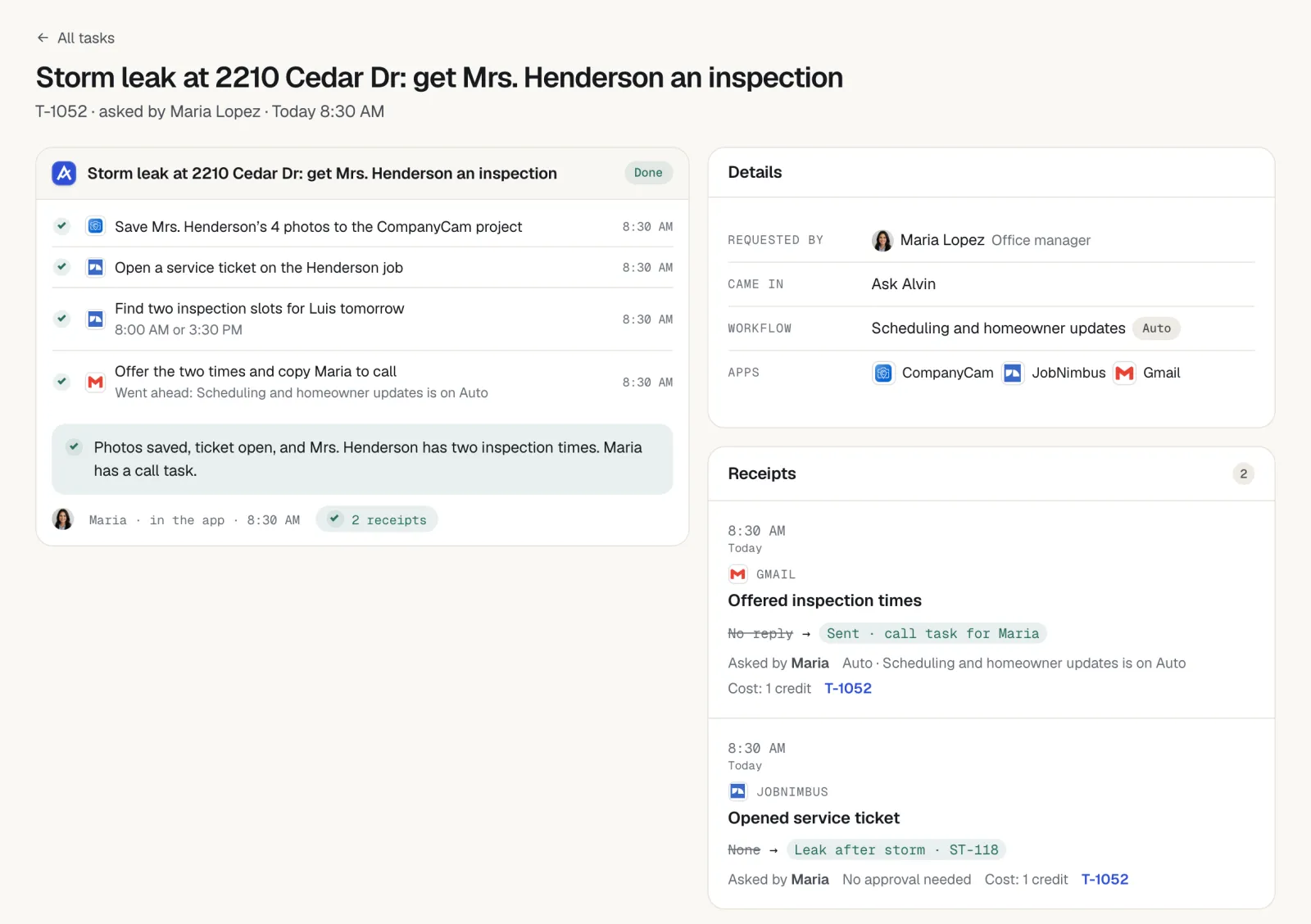
Even a well-run CRM leaves work at its edges. The supplier's portal, the manufacturer's warranty site, the city permit portal, the insurer's claim inbox, QuickBooks and the shared email account all sit outside it. Most of an office manager's day is carrying information between those places and the job record.
That is the gap Alvin covers. The team asks in the Alvin app or forwards an email, and Alvin does the step across the CRM and the other apps: updating the job, building the material order, drafting the follow-up, filing the registration. Where an app has no direct connection, Alvin uses a browser with logins the company saved in the vault. Anything that spends money or goes to a customer waits for a person to approve.
What Alvin handles and what stays with you
| Alvin does | You do |
|---|---|
| Works inside the CRM you choose, such as JobNimbus or AccuLynx: updates jobs, notes and stages on request | Choose the CRM and own the pipeline stages |
| Carries information between the CRM, QuickBooks, supplier portals and email | Decide who on the team can ask for what, and set approval limits |
| Runs scheduled checks for stale estimates, unpaid invoices and registration deadlines | Make the sales calls and the judgment calls |
| Drafts customer emails and texts from your accounts, held for approval | Approve what goes to customers |
| Keeps a receipt for every action, with screenshots | Negotiate claims, set prices, sign contracts |
Alvin does not replace the CRM and is not a reason to skip buying one. Standard is $99 a month and Pro is $299 a month, plus usage in credits.
Frequently asked questions
What is the best CRM for roofing companies?
There is no single best roofing CRM for every shop. The right one covers your mix of retail and insurance work, connects to your suppliers and QuickBooks, and is simple enough that your team keeps it current. JobNimbus and AccuLynx are well-known roofing options; compare them and others against your own sample job.
What features should a roofing CRM have?
A roofing CRM should have a lead-to-job pipeline, insurance claim fields, measurement report and supplier ordering links, photo capture from a phone, e-signature, QuickBooks sync and production scheduling. Role permissions, reporting and full data export also matter.
How much does a roofing CRM cost?
Pricing varies by product, plan and number of users, and vendors change it often. Ask each vendor for a written quote for your real user count that includes setup, add-ons and any messaging fees, and compare the yearly totals.
Do small roofing companies need a CRM?
Once more than one person touches a job, a shared record saves time and prevents dropped leads. A two-person shop can start with a simple product and a clear pipeline. The habit of keeping one record per job matters more than the brand.
Is Alvin a roofing CRM?
No. Alvin is a personal assistant for the whole team that works inside the CRM and other apps the company already uses. The CRM stays the system of record; Alvin does the follow-up, document assembly and data entry around it, with approvals for anything that spends money or reaches a customer.
Pick the CRM. Alvin keeps it current.
See how Alvin works across your CRM, QuickBooks and supplier portals for a roofing office.