Payment reminder templates: past due invoice emails and texts
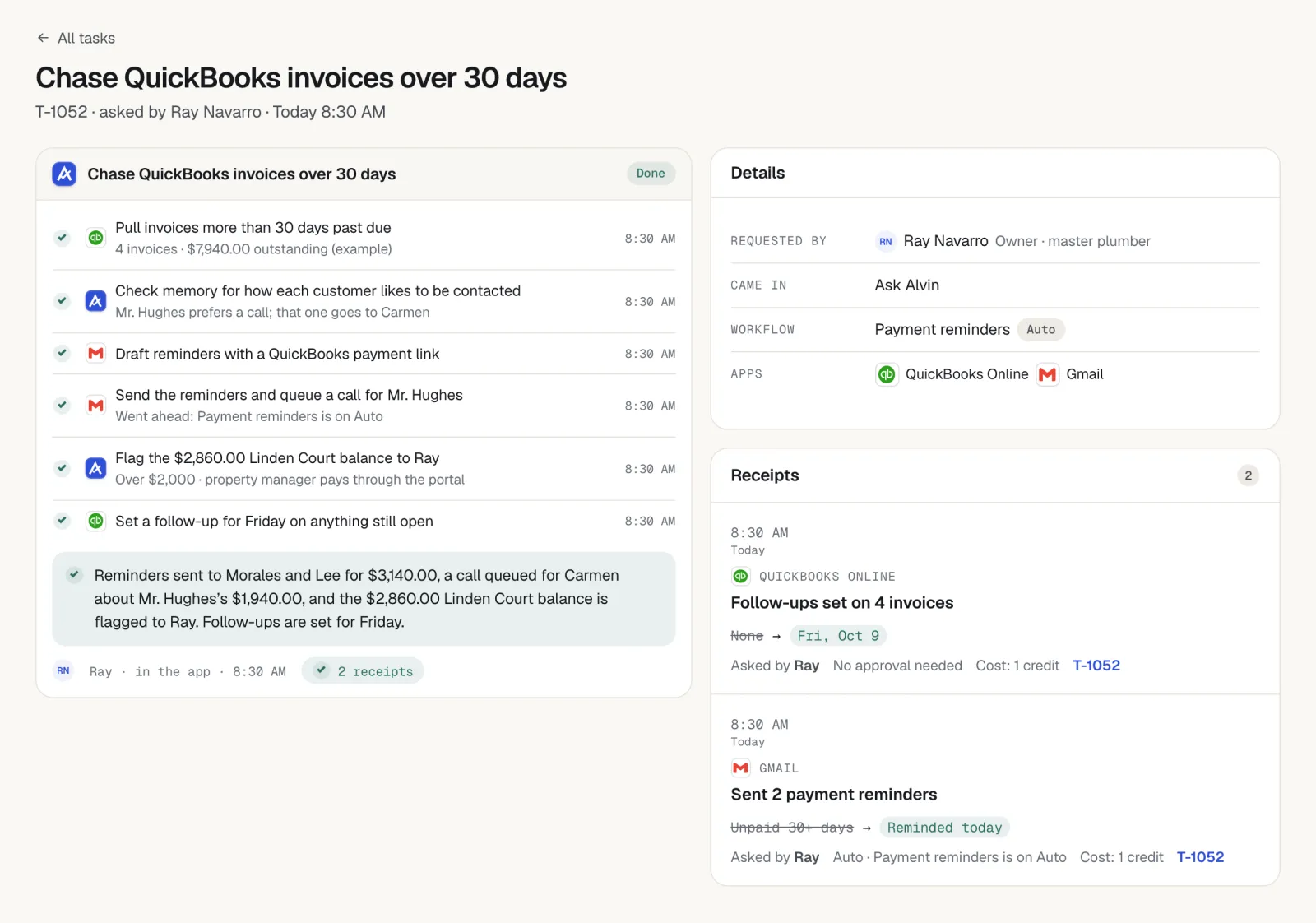
A payment reminder should state the amount, the invoice number and the due date, include a link to pay, and get slightly firmer each time: a light nudge the day after the due date, then day 7, day 14 and a final notice at day 30. The eight templates below cover those four emails plus a text message, a deposit reminder, a failed-card note and a thank-you. Alvin drafts each reminder from your QuickBooks balances and holds it for approval.
On this page
What every payment reminder must include
Customers put off a reminder when paying takes effort. Give them everything in one message:
- The amount due. The current balance, after any partial payment.
- The invoice number. So a bookkeeper or spouse can find it.
- What the work was and where. "Panel replacement at 22 Birch Street."
- The due date. And how many days past it, from the second reminder on.
- A payment link. In every message, every time.
- A person to reply to. A first name and a direct line or email.
Leave out apologies, long explanations and anything that sounds like a threat. Before any reminder goes out, check the books. Chasing an invoice the customer already paid does more damage than a late payment.
Past due invoice email templates
The examples use fictional customers and example amounts. Replace the bracketed link with your own payment link.
Scroll sideways to see every column.
| When | Subject | Body |
|---|---|---|
| 1. Day 1 after the due date | Invoice 1042 from Sample Plumbing Co. | "Hi Mr. Patel, a quick note that invoice 1042 for $486.00 (water heater repair at 9 Oak Court) was due yesterday. You can pay online here: [link]. If you have already sent payment, thank you, and please ignore this. Maria, Sample Plumbing Co." |
| 2. Day 7 | Reminder: invoice 1042, $486.00 | "Hi Mr. Patel, invoice 1042 for $486.00 is now 7 days past due. Here is the link to pay: [link]. If something about the invoice does not look right, reply to this email and I will sort it out. Maria" |
| 3. Day 14 | Invoice 1042 is 14 days past due | "Hi Mr. Patel, we have not received payment for invoice 1042 ($486.00, due March 3). Please pay today using this link: [link]. If you need to arrange a different payment date, call me at 555-0127 this week so we can note it on your account. Maria" |
| 4. Day 30, final notice | Final notice: invoice 1042, $486.00 | "Mr. Patel, invoice 1042 for $486.00 is 30 days past due. This is our final reminder by email. Please pay by Friday, April 10 using this link: [link], or call Dave Smith, the owner, at 555-0118 to discuss it. After that date we will follow the terms in your service agreement." |
Day 30 names a specific date and a specific person. It refers to the agreement instead of spelling out consequences, because what you may do next depends on what the customer signed.
Payment reminder text message and other templates
| Template | Wording |
|---|---|
| 5. Text version | "Sample Plumbing Co.: Hi Mr. Patel, a reminder that invoice 1042 for $486.00 is past due. Pay here: [link]. Questions? Reply to this text. Reply STOP to opt out." |
| 6. Deposit reminder | "Hi Mrs. Garcia, we are holding May 12 for your patio install. To confirm the date, the deposit of $1,500.00 (invoice 2210) is due by May 1: [link]. If the deposit is not received by then, we may need to offer the date to the next customer. Tomas, Sample Landscapes Co." |
| 7. Failed card, recurring service | "Hi Mrs. Henderson, the card on file for your quarterly pest service was declined for invoice 3318 ($95.00). It may have expired. You can update it here: [link]. Your next service is scheduled for June 4 and we would like to keep you on the route. Ana, Sample Pest Co." |
| 8. Thank-you on payment | "Thank you, Mr. Patel. We received your payment of $486.00 for invoice 1042 and your balance is zero. A receipt is attached. We appreciate your business." |
Do not skip the thank-you. It confirms the balance is cleared, it ends the sequence on a good note, and it is a natural moment to ask for a review using the Google review request templates.
The schedule and when to stop
- Before the due date. Optional: a short heads-up a few days ahead for large invoices and deposits.
- Day 1. Light email. Assume it was an oversight.
- Day 7. Email, plus the text version if the customer agreed to texts.
- Day 14. Firmer email, and offer to arrange a date.
- Day 30. Final notice, then it becomes an owner phone call.
- On payment. Stop everything and send the thank-you.
Two stop rules matter more than the wording:
- Stop on payment. Check the accounting system before each send. A payment that posted this morning cancels this afternoon's reminder.
- Stop on reply. Any reply, whether a question, a dispute or "I'll pay Friday," pauses the sequence until a person reads it and decides the next step.
Also pause for a customer who says they are disputing the work, a job with an open callback, and any account the owner is handling personally. For commercial accounts, confirm the reminder is going to the accounts payable contact and not the site manager who approved the work.
Late fees and collections
Whether you can charge a late fee or interest, how much, and what you must disclose depends on the contract the customer signed and on state law. The same goes for the steps after day 30: demand letters, lien rights on property work, small claims court or a collections firm. Each has its own notice rules and deadlines, and some deadlines start running from the last day of work.
Put the payment terms on the estimate and the invoice from the start, apply them the same way to every customer, and get advice before you add a fee or send anything that reads like a legal demand. If the reminders go by text, the texting rules for contractors apply to them too.
This article is general information, not legal advice. Late fees, interest, lien rights and collection steps depend on your contract and your state's law. Ask an attorney before you rely on any of them.
What Alvin handles and what stays with you
| Alvin does | You do |
|---|---|
| Checks unpaid invoices in QuickBooks on a schedule and lists what is due and past due in the morning briefing | Set the schedule, the tone and who may approve reminders |
| Drafts the right reminder for each invoice with the amount, invoice number, job and payment link | Approve, edit or skip each reminder |
| Sends approved reminders by email or text under your own accounts, with opt-out and quiet-hours rules applied | Make the day 30 phone call |
| Stops when a payment posts or the customer replies, and routes the reply to a person | Handle disputes, payment arrangements and credits |
| Keeps a receipt of every reminder: who approved it and what was sent | Decide on late fees, liens and collections with your attorney |
Alvin never holds or moves money. The customer pays through your own payment link, into your own account.
To fill these in with your own invoice and link, use the free payment reminder generator. To see how long you wait to get paid, use the free days sales outstanding calculator.
Frequently asked questions
How do you politely remind a customer about a past due invoice?
Send a short message that states the invoice number, the amount, the due date and a link to pay. Assume it was an oversight in the first reminder and include a line such as "if you have already paid, please ignore this." Give a name and a way to reply with questions.
What should a payment reminder text message say?
Start with your business name, then the invoice number, the amount and the payment link. For example: "Sample Plumbing Co.: a reminder that invoice 1042 for $486.00 is past due. Pay here: [link]." Add an opt-out line, and only text customers who agreed to receive texts.
How many payment reminders should I send?
A common schedule is four: the day after the due date, day 7, day 14 and a final notice at day 30. After that, the owner or office manager calls. Stop the sequence as soon as the customer pays or replies.
Can I charge a late fee on an overdue invoice?
It depends on your contract and your state's law. Many states limit late fees or interest and expect the terms to be disclosed before the work. Ask an attorney before adding a fee the customer did not agree to in writing.
What do I do when a recurring customer's card is declined?
Send a short note the same day with the invoice number, the amount and a link to update the card. Mention the next scheduled service date so the customer knows what is at stake. If there is no response after a second note, call before the next visit.
Reminders drafted from your real balances.
In a pilot we connect Alvin to QuickBooks and your email. Each morning you see what is past due and a drafted reminder for each invoice, waiting for your approval.