Free document signing: send any PDF to sign online
Contracts, change orders, lien waivers, work authorizations: most of the paper a contractor signs is a PDF someone has to print, sign, scan and send back. Alvin's free document signing sends it to sign online instead, in the order you choose, and keeps the signed copy for you.
The short answerUpload a PDF, add who signs, tap where each person signs, and send. Each signer gets an email link in turn, signs on their phone or computer, and you get the signed copy with a signature certificate. It's free on every Alvin plan, from an account with a confirmed email address.
How it works
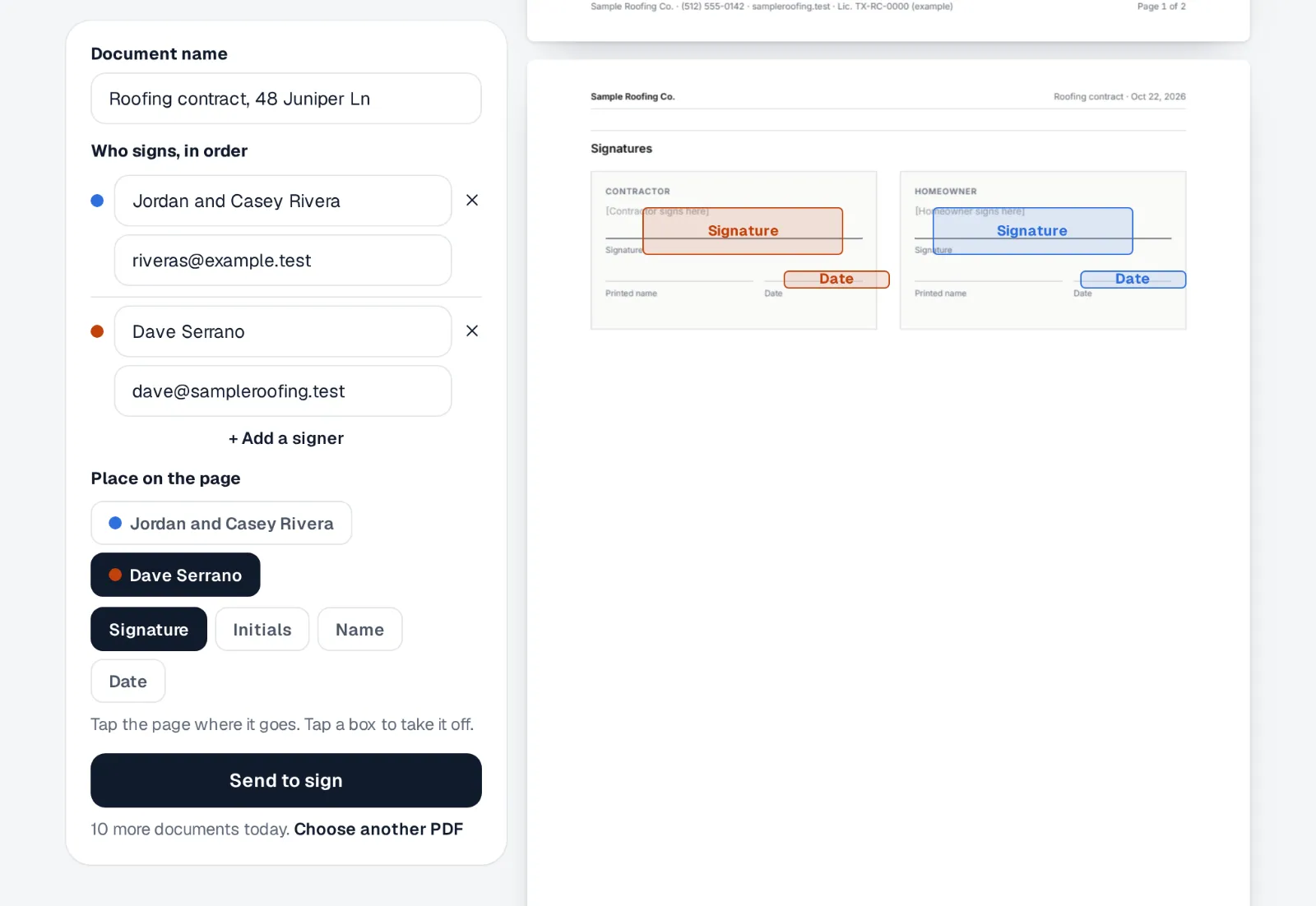
- Upload the PDF. Any document up to 10 MB: your own contract, a supplier's form, a change order.
- Add who signs, in order. Up to five people, each with a name and an email. The second person gets their link only after the first one signs.
- Tap where each one signs. Put a signature, initials, their printed name or the date signed anywhere on the page.
- Send. Each signer reads the whole document, agrees to sign electronically, and signs by typing or drawing.
- Keep the signed copy. When the last person signs, the signed PDF lands in Files with a certificate page: who signed, when, from which IP address and browser, and a fingerprint of the exact document they agreed to.
What it costs, and the limits
| Price | Free on every plan, including the free one. It uses no credits. |
|---|---|
| Who can send | Anyone on your team with an Alvin account and a confirmed email address |
| How many | Up to 10 documents a day per company, up to 5 signers each |
| What signers need | Just the email link. No account, no app, no download |
| Whose name is on it | Your company's: the email and the signing page carry your company's name |
The daily cap and the confirmed email are there so nobody can use it to mail strangers. For a contract made from a roof proposal, Alvin fills it in for you and waits for your approval before it goes out: see good, better, best proposals.
Good documents to send this way
- Your contract or service agreement, for a job you priced outside Alvin
- Change orders, so the extra work is agreed before it starts
- Lien waivers and work authorizations for the general contractor or the homeowner
- Warranty and maintenance plan sign-ups
- Subcontractor and new-hire paperwork
Electronic signatures are widely accepted for business agreements, but a few kinds of documents have their own rules. If you're unsure about one, ask your attorney before you send it.