HVAC rebates: how to file utility rebates for your customers
Filing an HVAC utility rebate for a customer means confirming the equipment qualifies before you quote it, then submitting the program's form with the invoice, the model numbers, an efficiency certificate such as an AHRI certificate, the install date and the customer's utility account details before the deadline. Programs come from utilities, manufacturers and states, and each sets its own rules. Alvin assembles the claim packet from the job record and tracks every claim until the money arrives.
On this page
The kinds of HVAC rebates and incentives
Scroll sideways to see every column.
| Type | Who runs it | Who usually files | What to check |
|---|---|---|---|
| Utility rebate | The customer's electric or gas utility | Contractor or customer, depending on the program | Qualifying efficiency levels, whether the contractor must be enrolled, whether approval is needed before install |
| Manufacturer promotion | The equipment manufacturer, often through its dealer program | Usually the contractor, through the dealer portal | Promotion dates, qualifying model combinations, claim deadline after install |
| State or local program | A state energy office or a program administrator | Varies widely | Income rules, approved contractor lists, inspections, funding that can run out |
| Federal tax credit | The IRS | The customer, on a tax return | Current IRS guidance for the tax year of the install |
One install can qualify for more than one of these. Some programs allow stacking and some reduce their amount when another incentive is paid. Read each program's terms.
Federal tax credits: check the current rules
Federal tax credits for home energy equipment have changed, and what applied to last year's installs may not apply to this year's. Do not quote a federal credit from memory or from an old sales sheet.
Before a federal credit goes on a proposal, check the current IRS guidance for the year the equipment will be placed in service. Tell the customer in writing to confirm eligibility with a tax professional. Your part is the paperwork they may need: an itemized invoice, model numbers, the efficiency certificate and any manufacturer certification statement.
This article is general information, not tax or legal advice. Rebate amounts, eligibility and deadlines are set by each utility, manufacturer and program and change often. Tax credit eligibility is a question for current IRS guidance and a tax professional.
What paperwork a rebate claim typically needs
Programs ask for much the same documents in different formats. Collect them once per job.
Scroll sideways to see every column.
| Document | Where it comes from | Watch for |
|---|---|---|
| Itemized invoice | Your field service app or QuickBooks | Must show equipment, model numbers, install address and often the date paid |
| Model and serial numbers | Data plates, photographed at startup | Must match the invoice and the certificate exactly |
| Efficiency certificate | The AHRI directory, for the matched outdoor and indoor combination installed | A certificate for a different coil or furnace match will be rejected |
| Install date | The job record | Most deadlines run from this date |
| Customer utility account | The customer's bill | Account holder name and service address must match the application |
| Program application form | The utility or program website | Forms change. Download the current one each time. |
| Customer signature or consent | The customer | Needed when you file on their behalf or the rebate is assigned to you |
| Pre-approval or reservation number | The program, before install | Required by some programs. Without it the claim fails. |
| Proof of removal or photos | The install crew | Some programs ask for the old equipment type or photos of the new install |
How to file HVAC utility rebates for customers
- Check the program before you quote. Look up the customer's utility by service address and read the current requirements for the equipment you plan to propose.
- Pull the efficiency certificate at quote time. Confirm the exact matched system meets the program's levels. Save the certificate to the estimate.
- Get any pre-approval first. If the program requires a reservation, submit it and wait for the number before installing.
- Put the rebate on the proposal as an estimate. State who files, who receives the payment and that the program makes the final decision.
- Collect the customer's part at signing. Utility account number, account holder name and a signed consent. Asking three weeks later is slower.
- Capture models and serials at startup. The same photos serve warranty registration.
- Submit within days of the final invoice. Do not batch claims for the end of the month.
- Save the confirmation and track the claim. Record the submission date, the claim number and the expected timeline.
- Follow up until it pays. When the payment arrives, note it on the job and tell the customer.
Deadlines and why claims get rejected
Deadlines vary. Some programs count a set number of days from the install date. Some close at the end of a program year. Some stop when funding runs out, with little warning. Record the deadline for each claim on the day of the install.
The usual reasons a claim comes back:
- The model number on the invoice does not match the certificate
- The installed combination is different from the one quoted
- The application name does not match the utility account holder
- The contractor was not enrolled in the program at the time of install
- Pre-approval was required and skipped
- An outdated form was used
- The claim arrived after the deadline
Most of these are decided at the quote, long before anyone fills in a form. A three-option replacement quote should show which options qualify and which do not.
A rebate tracking checklist
Keep one line per claim, not per job. A single install can carry a utility claim and a manufacturer claim with different deadlines.
- Customer, address and job number
- Program name and type
- Estimated amount shown on the proposal
- Who files and who gets paid
- Pre-approval number, if required
- Install date and claim deadline
- Documents collected: invoice, certificate, serials, account details, signature
- Date submitted and claim number
- Status: open, submitted, more information requested, approved, paid, denied
- Date paid and amount, and date the customer was told
What Alvin handles and what stays with you
| Alvin does | You do |
|---|---|
| Looks up the current program page and form for the customer's utility and saves them to the job | Decide which programs you take part in and stay enrolled |
| Pulls the invoice, models, serials and install date from the job record and flags mismatches | Select the equipment and confirm the matched system installed |
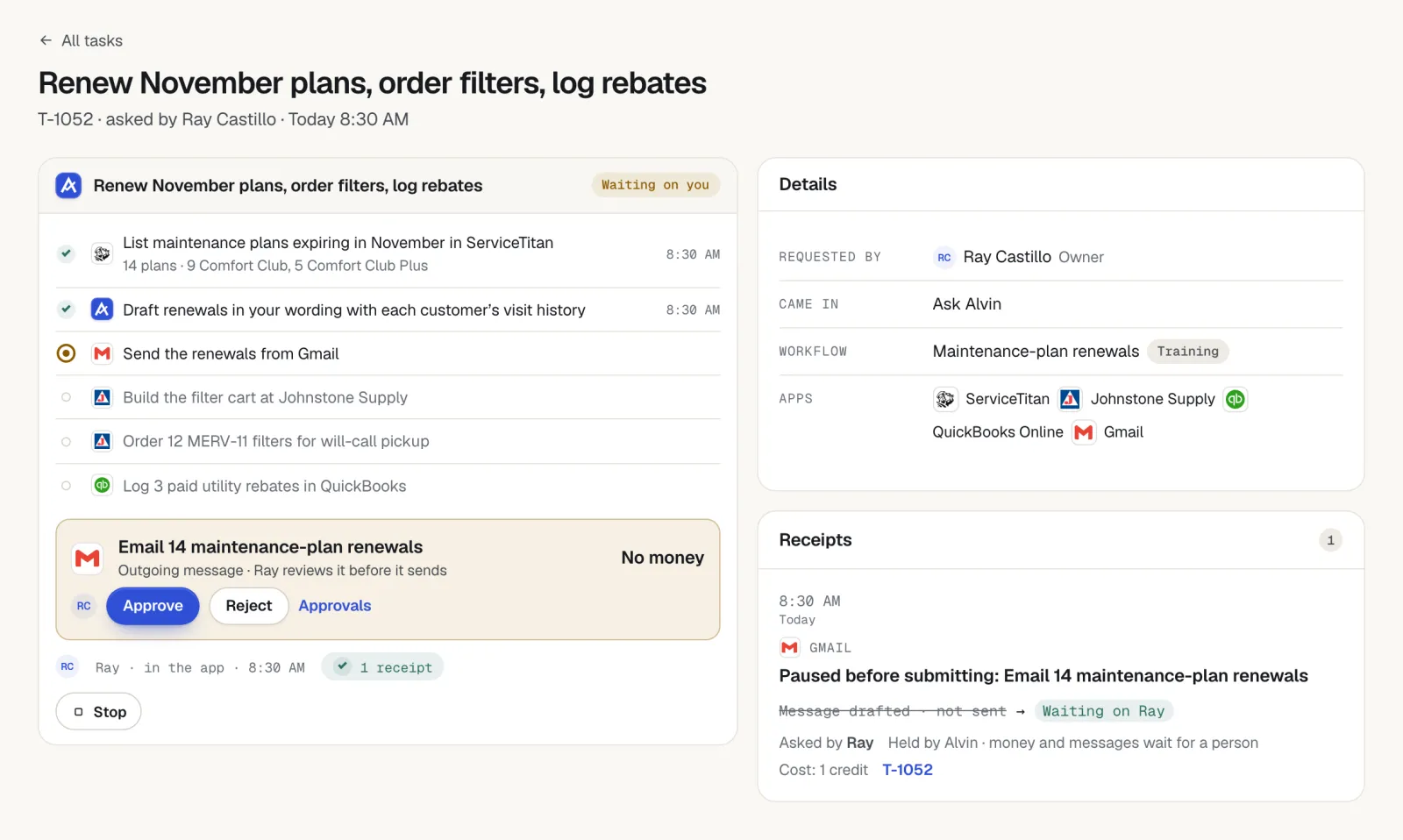
| Fills in the application on the program portal using logins saved in the vault | Review and approve the claim before it is submitted |
| Tracks each claim's deadline and status and lists open claims in the morning briefing | Answer program questions that need a technical or licensed answer |
| Drafts status updates to the customer, held for approval | Approve messages and tell customers what was promised |
| Keeps a receipt of each submission with screenshots | Receive the rebate payment. Alvin never holds or moves money. |
Alvin does not judge tax eligibility or promise a customer that a rebate will be approved. The program decides.
Frequently asked questions
How do HVAC rebates work?
A utility, manufacturer or government program pays money back after qualifying equipment is installed and a claim is approved. The claim needs proof of what was installed, where and when. Depending on the program, the payment goes to the customer or to the contractor who already took it off the price.
Who files the HVAC rebate, the contractor or the homeowner?
It depends on the program. Some require an enrolled contractor to file, some accept only the customer's application, and some allow either. Put the answer on the proposal so nobody assumes the other side is filing.
What is an AHRI certificate and why do rebates need it?
An AHRI certificate lists the certified efficiency ratings for a specific combination of outdoor and indoor equipment. Rebate programs use it to confirm that the system installed meets their requirements. The certificate must match the exact models on the invoice.
How long does an HVAC utility rebate take to pay?
Timelines differ by program and by how busy the program is. The program's website usually states an expected processing time. Claims with missing or mismatched documents take longest, so check the packet before you submit.
Is there still a federal tax credit for a new HVAC system?
Federal rules have changed, so do not rely on older information. Check current IRS guidance for the tax year the equipment is placed in service, and have the customer confirm with a tax professional. A contractor can supply the invoice and certificates but should not give tax advice.
Rebates filed on time, every install.
Alvin builds the claim packet from the job, waits for your approval and tracks the claim until it pays. See what else Alvin handles for an HVAC office.